
To run Claude Code unattended you use headless mode: claude -p runs one prompt without the interactive UI, prints the result and exits, with a non-zero code if the run fails. Anthropic's page for it is now titled "Run Claude Code programmatically", but the address still ends in /headless. With no one to answer prompts, a headless run denies anything that needs approval, so give it a permission mode that lets the work through:
claude -p "Fix the failing test in tests/test_auth.py" \
  --permission-mode auto --permission-prompts none
--permission-prompts none is optional here: in a plain cron or CI run nobody can answer a prompt anyway, and the flag tells Claude not to retry what was denied and removes tools that need a person to answer, such as AskUserQuestion. It needs Claude Code v2.1.259 or later, so drop it on older versions.
I'm Lawrence Liu, and I maintain Orbi, which turns GitHub Issues into merged, released changes with nobody watching. Orbi doesn't run Claude Code. Its agent is Pi. Everything below is about what surrounds the agent, and it applies to a Claude Code loop just as much.
What Claude Code headless mode gives you
One session that runs to the end without a person. A few flags matter once it runs from cron or CI:
--allowedToolspre-approves specific tools, and--permission-modesets a baseline for everything else.--output-format jsongives a script the result, the session ID and the cost.--dangerously-skip-permissionsis the direct way to run Claude Code without confirmation. It skips the routine permission prompts and checks (a few protections still apply, and in a headless run anything that still needs a person is denied), and Anthropic says to use it only inside a container or VM, as a non-root user. On a machine you care about,autoordontAskwith an allowlist is the safer choice.--bareskips hooks, plugins, MCP servers and CLAUDE.md from the machine and the repository. Without it, a headless run in a repository you've never trusted still runs that repository's hooks, and no trust dialog appears.
Headless authentication: API key or subscription token
Headless login is where subscription users trip. --bare ignores your Pro or Max login. Against the Anthropic API it needs ANTHROPIC_API_KEY, or an apiKeyHelper passed in with --settings; cloud providers such as Bedrock keep their own credentials.
To use a subscription in CI, run claude setup-token, set the token it prints as CLAUDE_CODE_OAUTH_TOKEN, and leave --bare off. Two things to know about that token:
- It lasts a year.
- An
ANTHROPIC_API_KEY,ANTHROPIC_AUTH_TOKENorapiKeyHelpertakes priority over it, whether it's set on the machine or in the repository's settings, so check which credential a run actually used.
The authentication docs cover both. To keep the repository's own settings and .mcp.json out of a run that can't use --bare, add --setting-sources user, and --settings '{"disableAllHooks":true}' turns hooks off for one run. Anthropic also says --bare will become the default for -p in a future release, so a token-based setup may need changing then.
A minimal cron job
cron runs with a short PATH and none of your shell setup, so spell out the directory, the binary and the credentials. Put the token in a file only the user running the job can read (chmod 600), and export it, or Claude won't see it:
# ~/.claude-nightly.env
export CLAUDE_CODE_OAUTH_TOKEN="..."
export PATH="/usr/local/bin:$HOME/.local/bin:$PATH"
The PATH line matters as much as the token: the commands Claude runs during the job, such as your test runner, see the same short PATH as cron does. Add wherever your tools live.
Then, in that user's crontab, with your own repository path and the output of which claude:
# crontab -e: every night at 03:00
0 3 * * * cd /srv/myrepo && . "$HOME/.claude-nightly.env" && /usr/local/bin/claude -p "Run the test suite and fix what fails" --permission-mode auto --permission-prompts none --output-format json >> "$HOME/claude-nightly.log" 2>&1
The log keeps Claude's output and errors, and a run that completes writes a JSON result there; a failure before Claude starts, such as a bad cd, won't show up in it. auto isn't always available: the model may not support it, or your organization, a settings file or Anthropic may have turned it off. When it's unavailable, Claude Code falls back to Manual, and a headless run then denies whatever needs approval. In that case use --permission-mode dontAsk with an explicit --allowedTools list.
If one scheduled job like that is all you need, you're done. The rest of this post is for when you want GitHub Issues to come out the other end as merged, released changes.
Six things a headless loop doesn't answer
Orbi has been delivering its own Issues unattended since late August. As of today, 599 Issues in its repository carry the ai-merged label, and v0.5.58 went out on September 30. Some of the answers below I only found after getting them wrong. A bare loop around claude -p leaves every one of them to you.
Which task, and only once
In Orbi a person adds the ai-ready label to an Issue. A runner picks it inside a claim lock, so two runners can't take the same Issue at the same moment, and adds ai-in-progress, which later scans skip. It then creates a worktree from a pinned base commit. Urgent Issues go first, then bugs. Each step is posted back to the Issue as a comment, which means the queue is the Issue list and the log is the Issue's timeline.
Which system user it runs as
With nobody approving commands, a dedicated operating system user adds a layer of isolation that permission rules and a sandbox don't replace. In Orbi Cloud each connected repository runs as its own Unix user. On September 25, after reading about GitSpawn, a way to make coding agents run programs through a repository's git config, I over-corrected: I filed an Issue, Orbi wrote and merged 1,164 lines of hardening, and I reverted it under four hours later. The agent already ran as that user, so guarding the runner's own git calls protected nothing. If you run claude -p from cron, give it a dedicated user that holds only that repository's credentials. The full story is in GitSpawn and the agent that never asks.
Who reviews it
Orbi starts a second session that reads the exact base and head commits against the Issue's acceptance criteria. It fixes what it finds and posts a verdict on the Issue, next to the test count. The session that wrote the change never gets to say it's done.
When it may merge
Right before merging, Orbi checks that the verdict names the current PR head, that the head contains the latest base branch, that CI on it has passed, and that GitHub reports the PR as mergeable. If CI is still running, it waits for the next pass. The auto-merge guide goes through each condition.
Until September 30 that list had a hole. On September 29 (UTC) I labelled an Issue ai-blocked and commented that its PR must not be merged. Seventy-one seconds later the runner merged it. The gate re-read the base, the head and CI, but never the Issue's labels, so a label added during review changed nothing. About eight hours later I filed #1504 and reverted the merge:
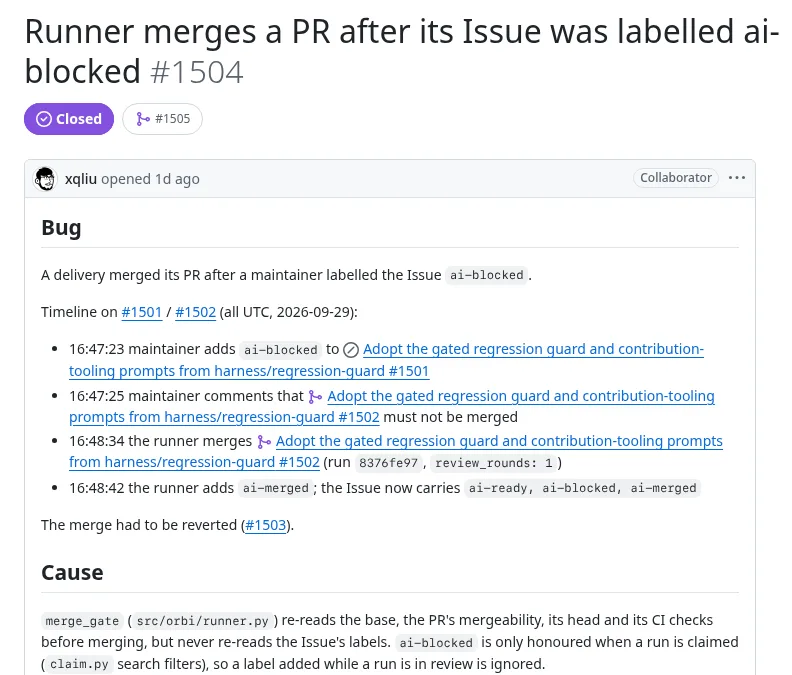
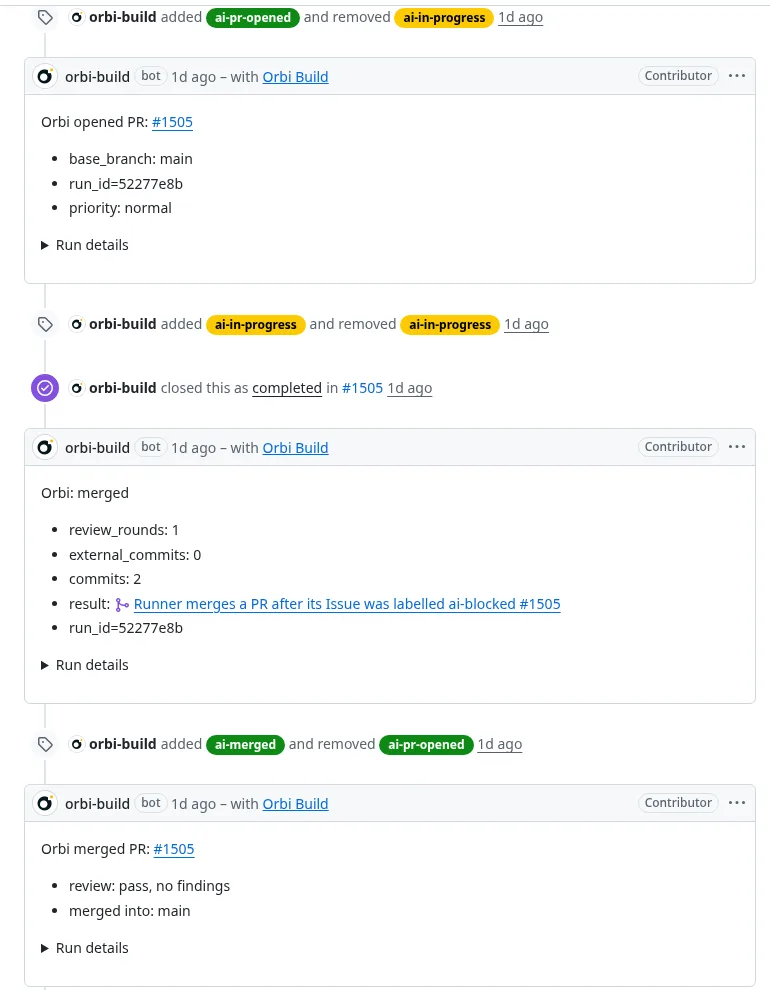
Orbi claimed it a minute after I filed it, opened PR #1505, passed the independent review with no findings and merged 45 minutes after the claim. The gate now reads the labels one last time, and an ai-blocked Issue stops the merge.
If your loop ends in gh pr merge, it has the same hole. A few lines in front of it close it for an immediate merge. Save them as a bash script and run that; pasted into an interactive terminal, a missing SHA doesn't stop the lines after it. The : line refuses to run without the Issue, the PR and the SHA your review approved; the labels= line exits if the labels can't be read, so a failed lookup never turns into a merge, the grep line exits non-zero when the Issue is blocked so your loop doesn't count it as a success, and --match-head-commit makes sure the commit you merge is the one that was reviewed. If the branch requires a merge queue, gh pr merge enables auto-merge when checks haven't passed and queues the PR when they have, and a blocking label added after that isn't checked by this script:
#!/usr/bin/env bash
: "${ISSUE:?}" "${PR:?}" "${REVIEWED_SHA:?missing the SHA the review approved}"
labels=$(gh issue view "$ISSUE" --json labels -q '.labels[].name') || exit 1
grep -qx ai-blocked <<<"$labels" && { echo "blocked: $ISSUE"; exit 3; }
gh pr merge "$PR" --squash --match-head-commit "$REVIEWED_SHA"
What happens when it fails
If Orbi can recover, the Issue moves to ai-fix-needed and the next pass continues on the same branch and the same PR. If a person has to decide, it stops at ai-blocked with a comment saying what happened.
That comment isn't always enough. On September 28 the first run on #1482 ended in under three minutes with no commit at all, and Orbi labelled it ai-blocked:
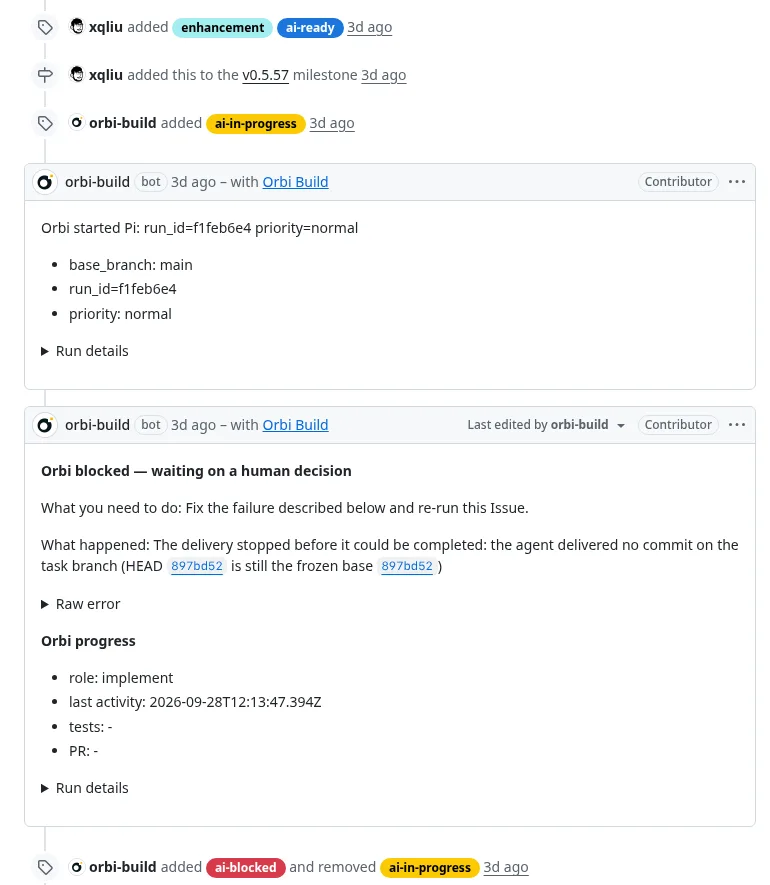
It told me there was no commit, not why, so I went to the logs. I judged the Issue itself was fine and removed the label, and the second run opened PR #1491, merged the same day.
Who ships it
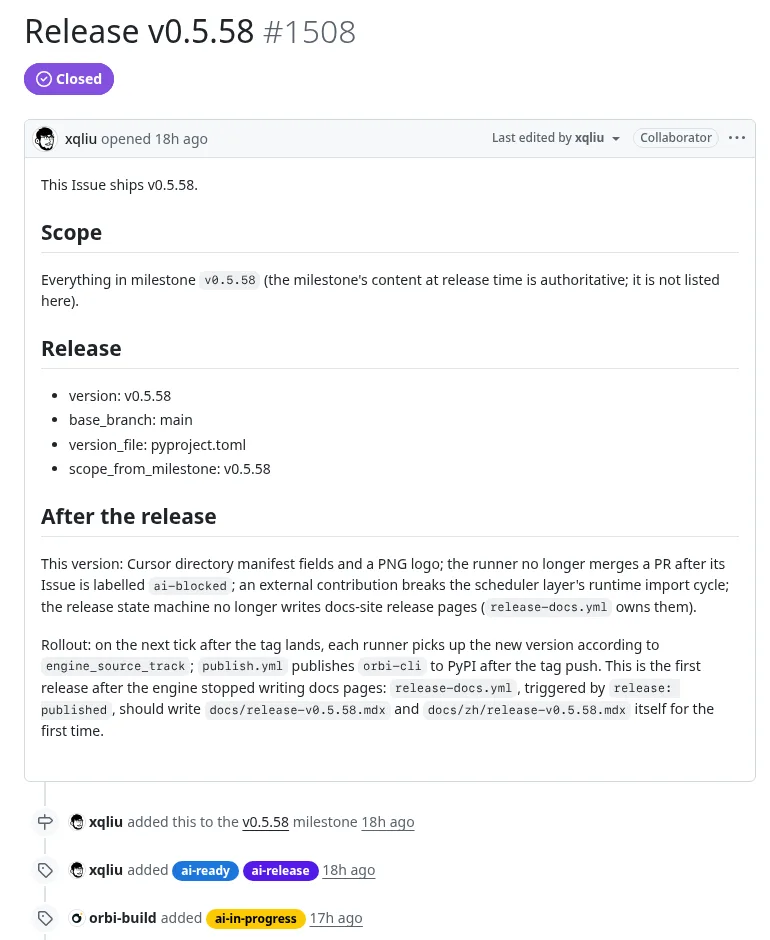
A merged fix reaches nobody until it's released. In Orbi a release is an Issue too, labelled ai-release, naming the version and the milestone. Orbi waits until everything else in that milestone is closed, then tags the release once CI passes on the release commit. This is the one for v0.5.58, which shipped the #1504 fix:
The step I still do by hand
If your runs change a user interface, automated tests won't be enough. On September 25, Orbi merged a mobile table fix for this website. Its overflow tests all passed. Then a 390px screenshot showed words split mid-word, so I measured all 34 table pages at 390px: no horizontal overflow anywhere, but 193 split words or numbers on 25 of them. Here is the effect, reproduced on today's page by putting PR #523's CSS back:
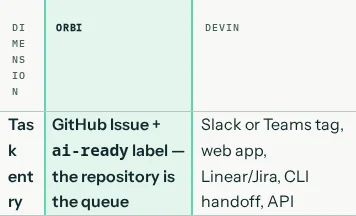
I filed the measurements as #526, and Orbi merged the fix 53 minutes after picking it up. The same table on orbi.build today:
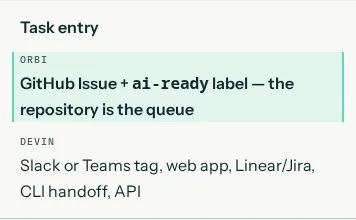
PR #523's tests did what its Issue asked, and that Issue never mentioned words. So before anything is promoted from beta to production, I open the changed pages on a phone and a desktop and look.
If you'd rather not build it
All of this can be built around claude -p: a claim lock on labelled Issues, a dedicated system user, a second session for review, a merge check, a resume path, a release job. Orbi's workflow doc, which describes how its version works, runs to about 800 lines.
Or use Orbi. Orbi Cloud runs Pi on DeepSeek by default, and Orbi's own deliveries have run on DeepSeek since September 22. You can bring your own key instead, and Anthropic's API is on the provider list, so Claude models stay available. What you give up is Claude Code itself, and using your Claude Pro or Max quota for it. Orbi vs Claude Code compares where each one stops. If what you want is an Issue coming out the other end as a reviewed release, connect a repository to Orbi Cloud or self-host the open-source runner.
Related
Read Orbi vs Claude Code, Claude Code in Actions: who presses merge? and Cloud.