
On this page · 7 sections
Codex YOLO mode is --yolo, an alias for --dangerously-bypass-approvals-and-sandbox. It skips approval prompts and removes Codex's local sandbox. Use it inside an environment that supplies its own isolation, such as a disposable VM or a restricted CI runner. For unattended repository edits that should keep a sandbox, start with codex -a never exec --sandbox workspace-write.
I'm Lawrence Liu, the creator of Orbi. I tested these choices on Linux with Codex CLI 0.159.3 on 16 October 2026. Orbi's Codex integration uses Pi's provider; it does not run Codex CLI. The commands below are for people running the CLI themselves.
How to start Codex YOLO mode
Inside your disposable, externally isolated runner:
codex exec --yolo "Run the tests and fix the failures."
The longer spelling has the same documented meaning:
codex exec --dangerously-bypass-approvals-and-sandbox \
  "Run the tests and fix the failures."
OpenAI's CLI reference defines both spellings. It also limits this mode to an externally hardened environment. A temporary Git worktree does not provide that boundary: the agent still runs as your operating-system user.
A VM or container still exposes the files and credentials readable inside it. My outer test environment hid the real home directory and other processes, exposed fake writable fixtures, and had no GPU devices. Network access stayed on for the model and test listener.
What Codex YOLO mode allowed in the experiment
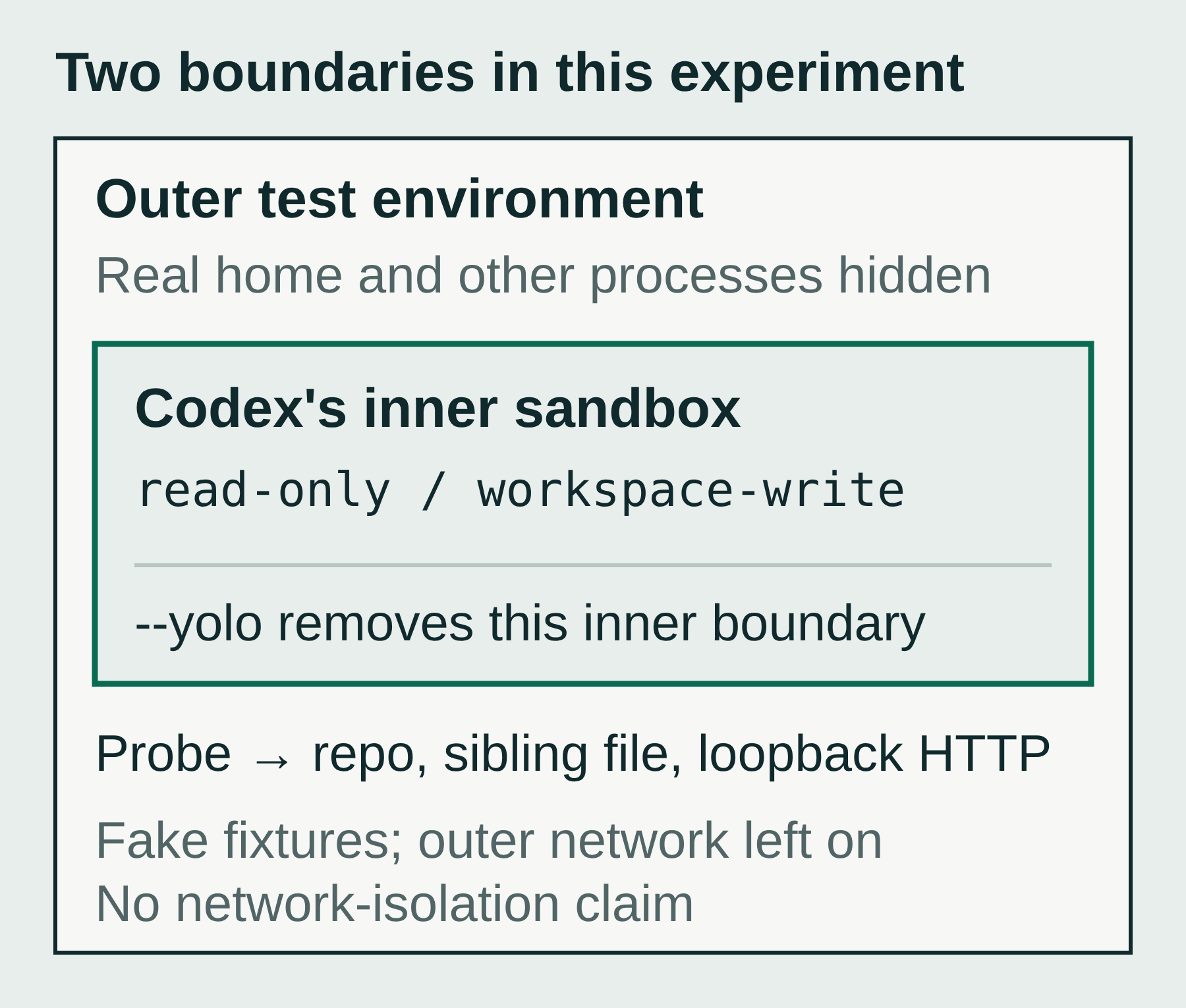
I asked the agent to run the same Python probe under three configurations: write inside the repository, write a harmless sibling file outside it, and contact a loopback HTTP server. The sibling directory was under the home cache, beyond the workspace and system temporary directories. /tmp is a poor boundary test because workspace permissions can include temporary directories.
Each configuration ran in a fresh outer sandbox with the same mount and network rules. --ignore-user-config and an isolated CLI home excluded my normal settings. Authentication was copied into the temporary environment and removed afterward. Managed requirements can still constrain effective permissions.
I checked the files and listener requests independently of the agent's answer. There was one fixed-probe run per CLI configuration, using gpt-6.1-sol at low reasoning effort:
Swipe horizontally to see all modes.
| Execution | Workspace file | Sibling file outside workspace | Loopback HTTP request |
|---|---|---|---|
| Direct Python control | Written | Written | Received |
codex exec --sandbox read-only, approvals never |
Blocked | Blocked | Blocked |
codex exec --sandbox workspace-write, approvals never |
Written | Blocked | Blocked |
codex exec --yolo |
Written | Written | Received |
The fixed probe actually executed in all three CLI runs. Denied writes returned a read-only filesystem error; denied connections returned “Operation not permitted.” I also ran the probe directly through Codex's built-in :read-only and :workspace permission profiles and got the same boundary results.
This small matrix measures those operations on this Linux setup. It does not establish a general escape-proof boundary, test hostile repositories, or measure the automatic approval reviewer's decisions. The experiment notes and probe describe the setup and reproduction steps.
Run unattended while keeping workspace-write
For a job whose dependencies are already prepared and whose edits should stay within its allowed workspace:
codex -a never exec --sandbox workspace-write \
  "Fix the failing tests. Run the relevant checks and report what changed."
exec runs without the interactive terminal UI. workspace-write sets the filesystem boundary. -a never prevents approval requests, so a command outside the allowed permissions cannot obtain an escalation during the run. Dependency downloads or access to another directory may therefore leave the task incomplete. Prepare the required access before starting it.
I also asked each configuration to create greeting.py containing print('workspace ok'), then run it. Workspace-write completed it without Codex YOLO mode; YOLO also completed it. Under read-only, the agent said it could not create the file and made no tool call. These three ordinary-task runs were separate from the fixed probes.
All six CLI runs exited 0, including the read-only task that never created its file. Before the next pipeline step, check the expected files and project tests; a successful CLI exit alone does not prove the task met its acceptance criteria.
What happened to Codex full auto mode?
Older tutorials use this command:
codex exec --full-auto "fix the failing tests"
On the version I tested, even this parameter check fails before a task starts:
$ codex --version
codex-cli 0.159.3

$ codex exec --full-auto --help
error: unexpected argument '--full-auto' found
# exit code: 2
OpenAI's current non-interactive documentation says --full-auto is no longer supported. For scripts that need repository edits, it directs users to explicit --sandbox workspace-write, or to --approve-for-me for automatic approval review. Some search results still show an older compatibility example. Check the installed CLI to find out which behavior applies to your version.
When migrating a Codex full auto script, choose its required permissions explicitly. Replacing the removed flag with --yolo would also remove the local sandbox, which is a broader change than allowing repository edits.
Automatic approval review is another choice
The documented middle option is:
codex exec --approve-for-me \
  "Fix the failing tests and run the relevant checks."
This preset uses workspace-write, on-request approvals and an automatic reviewer for eligible approval requests. The CLI reference lists conflicts with an explicit sandbox flag and with YOLO. Use the preset on its own.
Auto-review evaluates an action that needs approval. Commands already permitted inside the sandbox run without that review; approved escalations can cross the normal boundary. After a denial, the agent must find a materially safer alternative or stop and ask the user. Account and organization policy can constrain this mode.
I confirmed that 0.159.3 accepts the parameter. I did not test reviewer decisions in this matrix. Approval review also has a different job from reviewing a patch: permission to execute a command does not prove the resulting code is correct or ready to merge.
How Orbi runs unattended and gates a merge
I built Orbi to take a coding task through a PR, review and merge. Write the acceptance criteria in a GitHub Issue and add ai-ready; the runner starts Pi in a separate worktree, pushes the task branch and opens a PR.
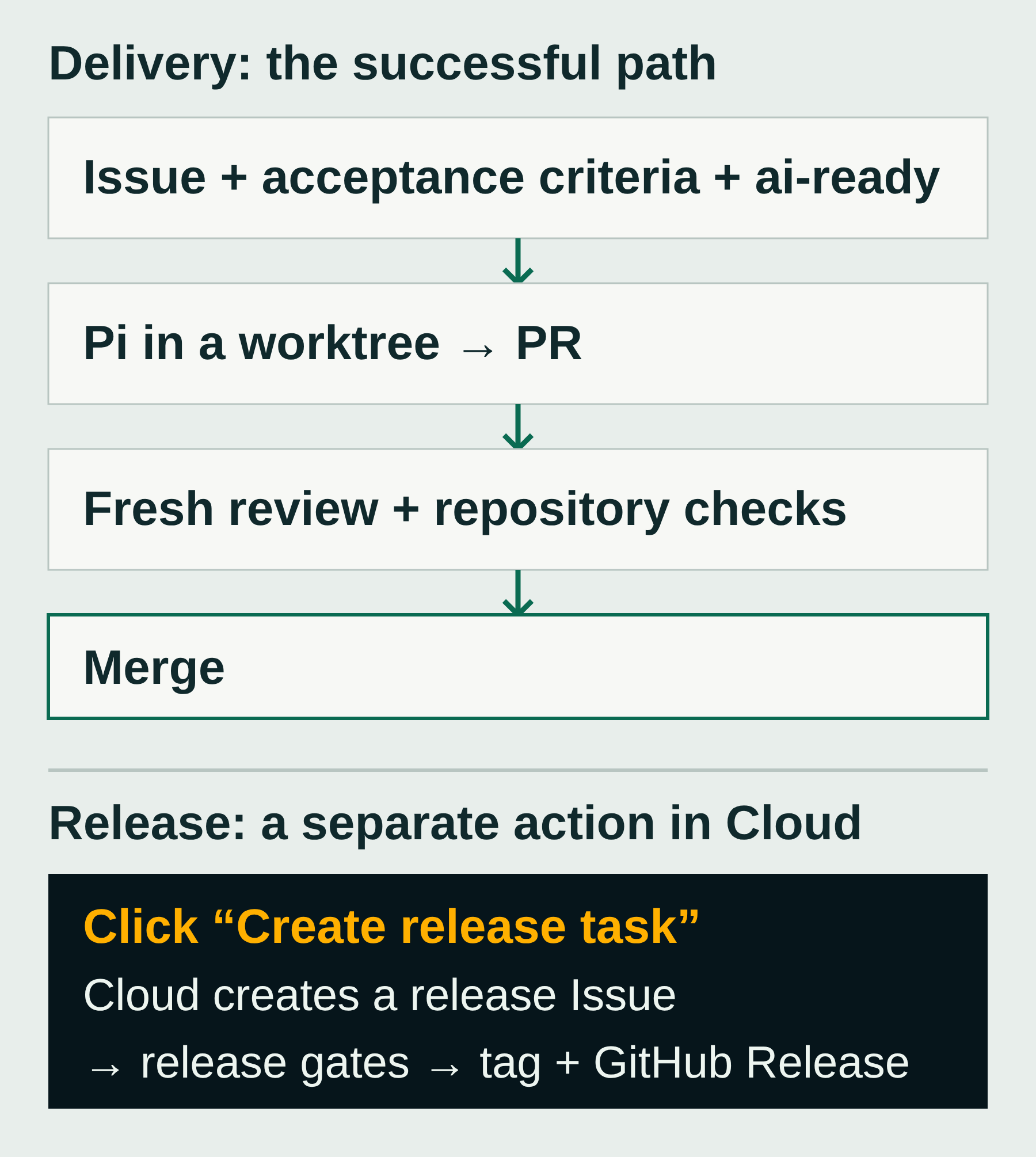
The runner checks that review's verdict and rejects externally changed PR heads. It can absorb a conflict-free base update and check the new head without another review session. Pending checks defer merge; failed checks block it. Test coverage depends on the checks your repository defines.
A worktree separates checkouts, not process permissions. When self-hosting, configure the runner's OS account, credentials and network access accordingly. Review cannot undo permissions already used during execution.
Release from Cloud
- Sign in to the status page and open Versions for your repository. With only one connected repository, expand Usage and settings → Versions at the bottom.
- Click Create release task on the current version's row. Cloud creates the GitHub release Issue and its labels; Orbi runs the gates and publishes the tag and GitHub Release.
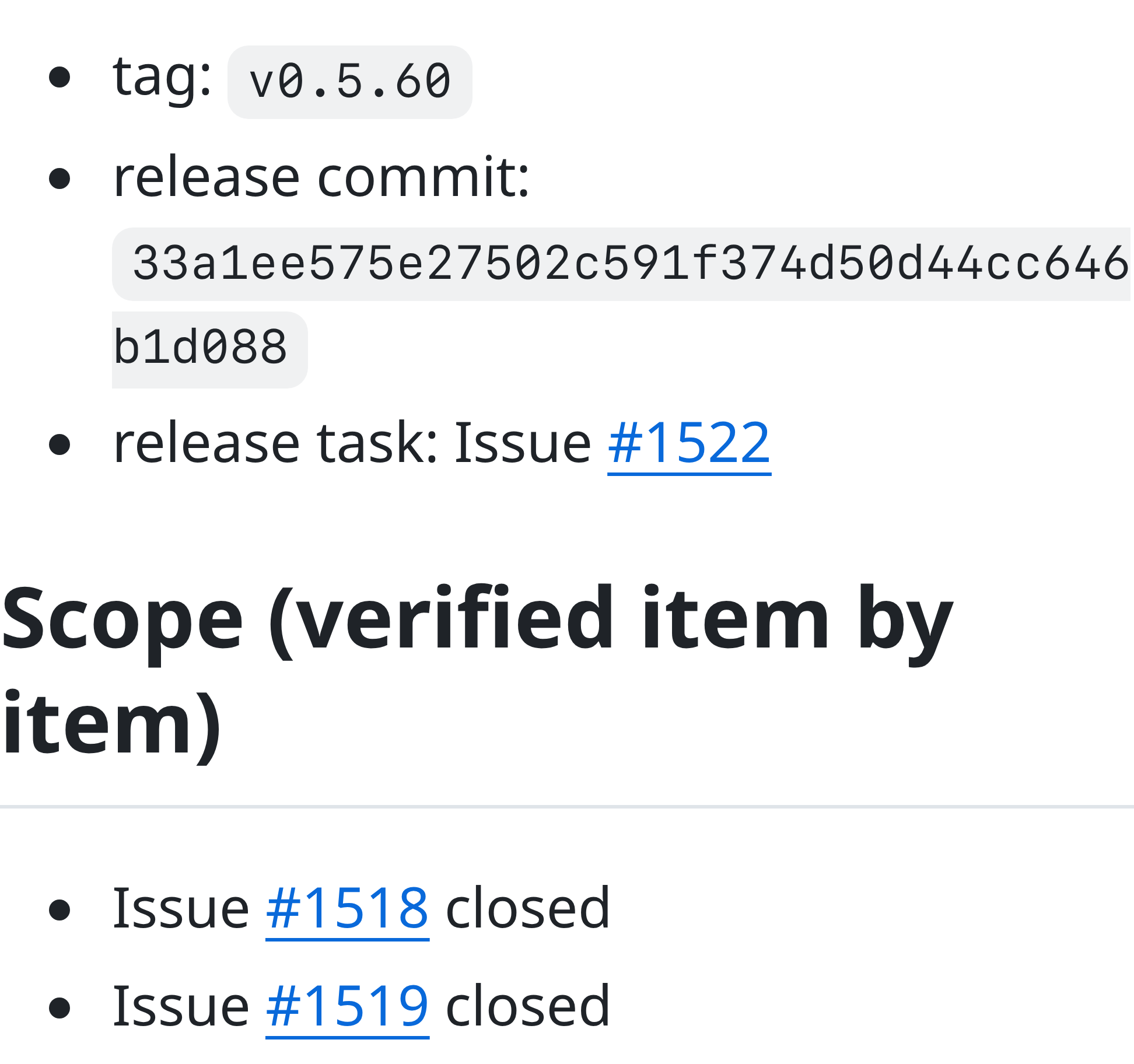
Source: v0.5.60 release and Cloud-created Issue #1522.
Self-hosted Orbi supports Codex OAuth through Pi's openai-codex provider; follow the Codex integration guide. For managed delivery, connect your repository to Orbi Cloud. Cloud uses its own model configuration, not your local Codex login or Codex YOLO mode permissions. The CLI flags above are not Orbi settings.